

Want to translate your payment gateways - say Cash on delivery - and Translate & Adapt keeps getting in your way? Don’t worry. We have a fix that works faster than you can say “international payment”.
Why struggle by hand when there’s a smarter way
When the standard translation tools fall short, the proven route is CSV export and import. Go make yourself a coffee - this turns out to be pretty easy.
Step by step
1. Export the language files
- Open your Shopify admin
- Go to Settings → Languages
- Click Export
- Choose Selected Content
- Focus on Payment gateways
- Download the CSV file
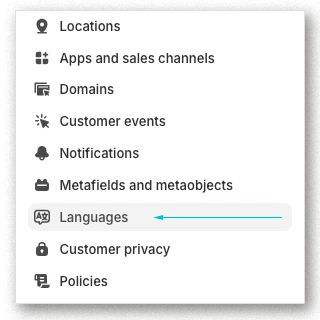
2. Translate the smart way
Open the downloaded CSV and find the Translated content column. That’s where all the translation magic happens.
Tip for the genuinely smart: why translate every method by hand? Upload the exported file to an AI model - ChatGPT or DeepL - and let it do the work for you.
3. macOS users, watch out
There’s a small trap waiting, and it’s called semicolons:
- The CSV may export with sneaky semicolons instead of commas
- The fix: open the file in TextEdit, your secret agent
- Replace the semicolons with commas
- Done
4. Import the translation
- Back to Settings → Languages
- Choose Import
- Upload the edited file
- That’s it
For those who want more
- Always check the CSV formatting before importing
- Keep a copy of the original export as a backup
- After importing, test how the payment methods display in checkout
- Don’t be afraid of AI - it’s your friend, not your enemy
One last note
Notice what just happened? You pulled off something that looked like a scene from a sci-fi film a moment ago - and your payment gateways are localised before your coffee went cold. Congratulations.